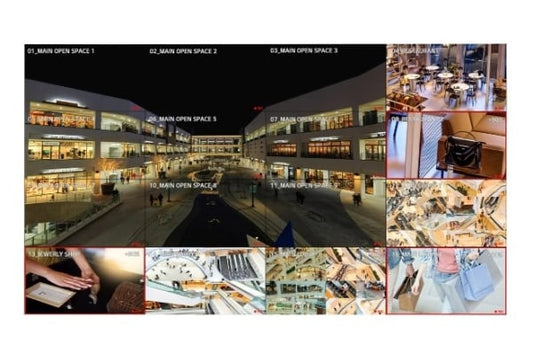
A video wall joins several narrow-bezel LCD displays into one large screen, while an LED wall builds the image from LED cabinets with no bezels at all. Both create a picture far bigger than a single display. The right choice depends on the viewing distance, the size and shape of the wall, the content and whether thin lines between panels are acceptable.
This guide compares LCD video walls and LED walls, explains bezels and pixel pitch with real examples, shows how to work out size and resolution, and lists what to plan for mounting and content, for receptions, showrooms, control rooms and boardrooms in Dubai, Abu Dhabi and across the UAE.
Video wall or LED wall at a glance
| LCD video wall | LED wall | |
|---|---|---|
| How it is built | Narrow-bezel LCD panels, usually 55 inch, in a grid | LED cabinets joined edge to edge |
| Seams | Thin lines between panels | No visible seams |
| Sizes | Steps of one panel (about 1.21 x 0.68 m for 55 inch) | Steps of one cabinet, almost any size or ratio |
| Detail up close | Very sharp, Full HD per panel | Depends on pixel pitch |
| Typical uses | Control rooms, receptions, retail walls | Lobbies, showrooms, auditoriums, large boardrooms |
| Cost | Usually lower per square metre | Higher, especially for fine pitch |
LCD video walls and bezels
The thin line between two panels is the bezel-to-bezel gap. The smaller it is, the less the lines interrupt text and faces. The LG 55VM5J-H is a 55 inch Full HD IPS video wall display with a 1.74 mm bezel-to-bezel gap, 500 nits and a 24/7 rating. Samsung’s VM55B-R offers 500 cd/m² and a 24/7 rating, and the VH55C-E raises brightness to 700 cd/m² for bright spaces.


Resolution of an LCD video wall: each 55 inch panel is 1920 x 1080. A 2 x 2 wall is therefore 3840 x 2160 (4K) and about 2.4 x 1.4 m; a 3 x 3 wall is 5760 x 3240 and about 3.6 x 2 m.

LED walls and pixel pitch
Pixel pitch is the distance between neighbouring LED pixels, in millimetres. A smaller pitch packs more pixels into the same area, so the image stays sharp from closer up. As a rule of thumb, the closest comfortable viewing distance in metres is about the pixel pitch in millimetres.
| Pixel pitch | Closest comfortable viewing | Typical use | Examples |
|---|---|---|---|
| 1.2 to 1.6 mm (fine pitch) | About 1.2 to 1.6 m | Boardrooms, control rooms, executive briefing | Samsung The Wall IAB 110 2K (1.26 mm), Samsung IF015R (1.5 mm), Samsung MM015F-A (1.56 mm) |
| 2 to 2.5 mm | About 2 to 2.5 m | Lobbies, showrooms, retail feature walls | Samsung IE025A (2.5 mm) |
| 3 mm and above | 3 m and further | Auditoriums, atriums, event stages | Project-specific cabinets |
Working out LED wall size and resolution
Each cabinet has a fixed number of pixels, so the wall resolution is the number of cabinets times the cabinet resolution:
- Samsung IF015R (1.5 mm): 640 x 360 pixels per cabinet, about 0.96 x 0.54 m. A 3 x 3 wall gives 1920 x 1080 (Full HD) at about 2.9 x 1.6 m; a 6 x 6 wall gives 3840 x 2160 (4K) at about 5.8 x 3.2 m.
- Samsung IE025A (2.5 mm): 384 x 216 pixels per cabinet, about 0.96 x 0.54 m. A 5 x 5 wall gives 1920 x 1080 at about 4.8 x 2.7 m.


All-in-one LED displays
All-in-one LED displays come as a fixed-size screen with the LED control built in, so they install more like a very large display than a custom wall. The Samsung The Wall IAB 110 2K is a 110 inch class Full HD display with a 1.26 mm pitch. The Samsung The Wall MM015F-A is 136 inch class at 1.56 mm. The MAXHUB Raptor V3 Lite LP135V07C is a 135 inch COB LED system running Android 13.0. They suit boardrooms and training rooms that need a bigger, seamless screen than a single LCD.
COB or SMD LED?
- SMD (surface-mounted device): each pixel is a small LED package soldered to the module. It is the most common LED technology.
- COB (chip on board): the LED chips are mounted directly on the board and sealed under a flat surface, which makes the face more robust against knocks and dust.
MAXHUB offers its Raptor V3 Lite displays in both versions, for example the LP135F07 (SMD) and the LP135V07C (COB).
Which should you choose?
| Space | Usual choice | Why |
|---|---|---|
| Security or operations control room | LCD video wall, 24/7 | Sharp detail at desk distance, many camera feeds, panels easy to replace |
| Reception or retail feature wall | LCD video wall or 2.5 mm LED | LCD for budget, LED for a seamless brand wall |
| Large boardroom | Fine pitch all-in-one LED | No seams through faces and spreadsheets |
| Lobby, atrium or showroom | 2 to 2.5 mm LED | Any size or shape, viewed from further away |
| Auditorium or event stage | 3 mm and above LED | Very large image for distant viewers |

Mounting, content and control
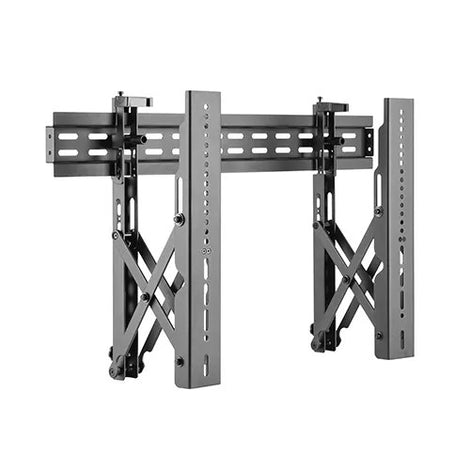
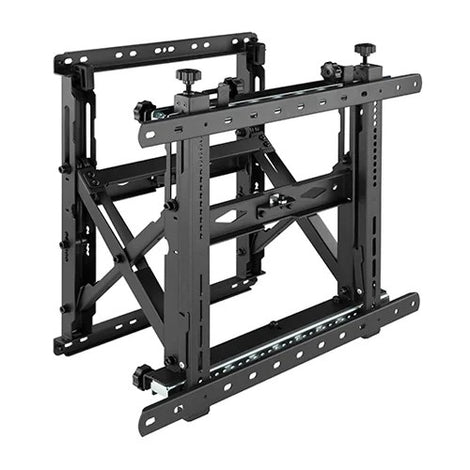
- Video wall mounts: LCD walls use pop-out mounts so each panel can be pulled forward for service. The VSYS VSVW02-46T is rated for 37 to 70 inch displays up to 45 kg, and the VSYS VSVW13-46T for 45 to 70 inch displays up to 70 kg.
- LED structures: LED cabinets need a flat, strong frame or wall structure designed for the cabinet layout and weight.
- Content: LCD video walls can tile one image across panels using built-in video wall settings or a video wall processor; LED walls use an LED controller to map the image to the cabinets.
- Calibration: panels and cabinets are calibrated on site for even colour and brightness across the wall.
- Power and cooling: plan power, ventilation and service access before the wall is built.
Planning checklist before you buy
- Measure the wall, the closest and furthest viewing distances, and the ceiling height.
- Decide whether seams are acceptable for your content.
- For LED, choose the pixel pitch from the closest viewing distance.
- Work out the resolution from the panel or cabinet count.
- Check brightness and hours: 24/7 for control rooms, higher brightness near windows.
- Plan the mount or structure, power, cooling and service access.
- Decide how content will be fed and controlled.
Common mistakes to avoid
- Choosing LED pitch by price alone: a coarse pitch looks pixelated from close up.
- Fine pitch too small: a small fine-pitch wall may have fewer pixels than a single 4K display.
- Seams through faces: in a boardroom, bezels crossing faces on video calls are distracting.
- No service access: fixed mounts make every repair a major job; use pop-out mounts.
- Ignoring glare: glossy panels under spotlights reflect; non-glare panels help.
Key terms explained
- Bezel-to-bezel: the combined gap between two LCD panels.
- Pixel pitch: the distance between LED pixels, in millimetres.
- Cabinet: a modular LED unit that joins with others to build the wall.
- All-in-one LED: a fixed-size LED display with built-in control.
- COB and SMD: two ways of mounting the LEDs on the module.
- Video wall processor: a device that splits or tiles content across many screens.
Get the right wall for your space
CorporateAV.ae designs, supplies and installs video walls and LED walls across the UAE, and is an authorised dealer of Samsung, LG and MAXHUB. See our digital signage and video wall solutions and LED and large format display solutions, browse video wall displays and LED displays, or request a project quote.