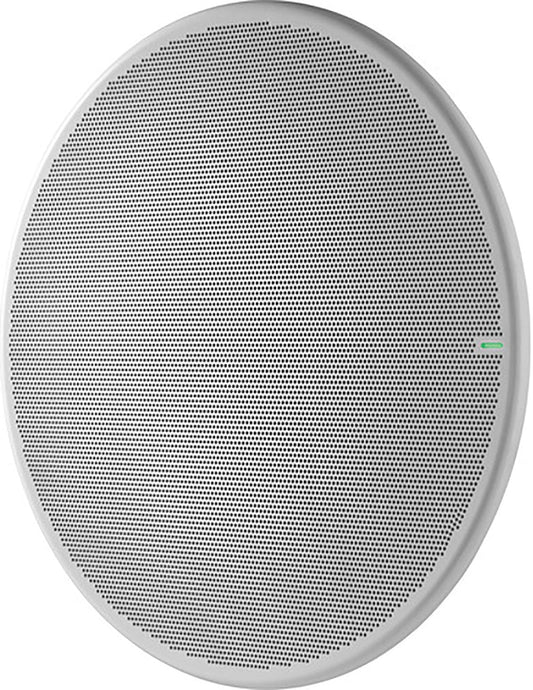
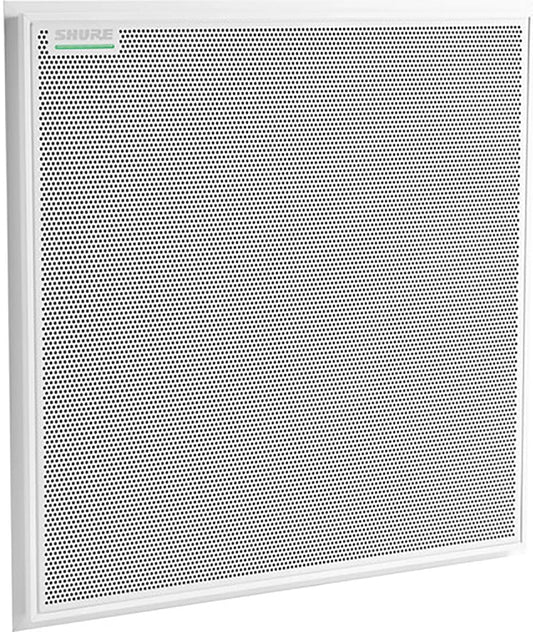
A ceiling microphone is a microphone array mounted in or under the ceiling that picks up everyone around the meeting table, so the table stays clear and people can sit anywhere. Modern ceiling arrays use beamforming to steer pickup towards the people speaking and away from noise, and work with Microsoft Teams, Zoom and other platforms through a DSP or room system.
This guide explains how ceiling microphones work, the main types, how many a room needs and where they go, which processor to pair them with, and what to check before you buy, for meeting rooms in Dubai, Abu Dhabi and across the UAE.
How ceiling microphones work
A ceiling array contains many small microphone capsules. Software combines them into pickup lobes or zones that point at the seats. When someone speaks, the array focuses on that zone; when nobody speaks in a zone, it stays quiet, which reduces room noise and echo.
- Beamforming: the array forms pickup beams electronically, with no moving parts.
- Automatic coverage: some arrays, such as the Shure MXA920 with Automatic Coverage, cover the room without manual lobe setup.
- Echo cancellation: the far-end voices from the room speakers are removed by acoustic echo cancellation (AEC) in a DSP, the array itself or the room system.
The main types of ceiling microphone
| Type | What it is | Examples |
|---|---|---|
| Ceiling array microphone | Many capsules with steerable lobes, connected over the network | Shure MXA920, Yealink CM50, Sennheiser TeamConnect Ceiling Medium, Biamp Parlé TCM-X |
| Microphone and loudspeaker in one | One ceiling device that picks up and plays back | Shure MXA902 |
| System ceiling microphone | Designed for one brand of video system, often with built-in DSP | Yealink CM20 for Yealink MVC rooms |
| Ceiling audio kit | Microphone, speakers and switch sold together | Yealink CMKit-121, Biamp MRB-M-SCX400-C |
| Linear array | A slim bar for the wall, ceiling, table or around the display | Shure MXA710 |
Ceiling array microphones
The Shure MXA920 uses Automatic Coverage technology, which needs no setup but still allows precise control, and supports camera tracking and voice lift. The Sennheiser TeamConnect Ceiling Medium has 15 capsules, covers up to 50 m² and outputs Dante and analogue audio from a single PoE cable. The Biamp Parlé TCM-X is a low-profile Beamtracking microphone with four 90 degree zones for 360 degree coverage, for Tesira systems.


Microphone and loudspeaker in one
The Shure MXA902 combines a ceiling array microphone and a loudspeaker, so a small or medium room needs only one device and one cable. Its Single Zone Automatic Coverage covers an area of 6 x 6 m (20 x 20 ft), and onboard IntelliMix DSP handles echo and noise. Shure IntelliMix Room Kits 30, 50 and 70 build complete Microsoft Teams Rooms systems around one or two MXA902 units.

System ceiling microphones and kits
The Yealink CM20 has 16 microphones in 8 pickup zones, a built-in DSP and an effective pickup radius of up to 4.5 m, for Yealink 4th-generation MVC S50, S80, S90 and S98 rooms. The Yealink CMKit-121 combines a CM20 with two CS10 ceiling speakers and an RCH40 E2 PoE switch. For larger rooms, the Yealink CM50 uses 127 microphones and Dante. Biamp’s MRB-M-SCX400-C bundle pairs a Devio SCX 400 hub with Beamtracking ceiling microphones and two Desono ceiling speakers, connected to the room computer by USB.


How many ceiling microphones does a room need?
Count from the coverage the manufacturer publishes and the table area, not the room area. Leave some overlap at the edges.
| Room | Typical table area | Typical choice |
|---|---|---|
| Small meeting room, 4 to 6 seats | Up to about 3 x 2 m | One combined array such as Shure MXA902, or the video bar microphones |
| Medium room, 8 to 12 seats | About 4 x 2 m | One ceiling array, for example Yealink CM20 (up to 4.5 m radius) or Sennheiser TeamConnect Ceiling Medium (up to 50 m²) |
| Boardroom, 14 to 20 seats | 6 m or longer | Two arrays along the table, linked in one DSP |
| Training or divisible room | Flexible seating | One array per area, combined or split with the room |
Where to place ceiling microphones
- Above the seating: centre the array over the table, or space two arrays along a long table.
- Away from noise: keep at least a short distance from air conditioning vents and projectors.
- Away from speakers: place ceiling speakers so they do not fire straight into the microphones, which makes echo cancellation work harder.
- Ceiling type: tile ceilings take drop-in arrays; hard ceilings need a flush mount such as the Shure A910-HCM, which is paintable and can be installed before the microphone; open ceilings use suspension kits.
Choosing the processor
Every ceiling microphone needs echo cancellation and mixing somewhere in the system:
- Built into the microphone or kit: Shure MXA902 (IntelliMix onboard) and Yealink CM20 (built-in DSP) need no separate processor in supported setups.
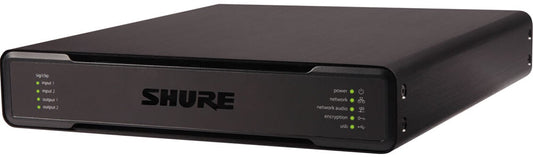
- Meeting room DSP: the Shure IntelliMix P300 offers a predefined matrix and presets for quick setup. The Biamp TesiraFORTÉ X 400 has 4 assignable AEC channels, AVB, Dante and AES67, and four PoE+ ports to power room devices.
- Larger systems: the Biamp TesiraFORTÉ DAN VT provides echo cancellation on 12 inputs with 32 x 32 Dante channels.
- Software DSP: Shure IntelliMix Room runs on the room computer with Shure networked microphones.


Example setups by room
| Room | Microphones | Processing and playback |
|---|---|---|
| Teams Room, 6 seats | One Shure MXA902 | IntelliMix onboard, or a Shure IntelliMix Room Kit 30 |
| Yealink room, 10 seats | Yealink CM20 | Yealink MVC S80 with two CS10 ceiling speakers (CMKit-121) |
| Boardroom, 16 seats | Two Shure MXA920 or Sennheiser TeamConnect Ceiling | Shure P300 or Biamp TesiraFORTÉ X 400 with ceiling speakers |
| Tesira building standard | Biamp Parlé TCM-X | TesiraFORTÉ with Biamp Desono ceiling speakers |
Planning checklist before you buy
- Measure the table and seating area, the ceiling height and the ceiling type.
- Check which video system or room computer the microphones must connect to.
- Decide where echo cancellation will run: in the microphone, a DSP or software.
- Plan PoE switch ports, and Dante or AVB if the system is networked.
- Plan ceiling speaker positions with the microphones, not separately.
- Add mute buttons where users want them, such as the Shure MXA-NMB network mute button.
- Check room acoustics: glass walls and hard floors may need treatment for clear pickup.
Common mistakes to avoid
- Microphone above the display: it picks up people from the far end of the table poorly. Place arrays over the seats.
- Speakers next to the array: this makes echo cancellation work harder and can cause remote listeners to hear echo.
- Mixing brands without checking: system microphones such as the Yealink CM20 are designed for their own brand of video system.
- Ignoring the network: networked arrays need PoE ports and, for Dante or AVB, a switch configured for audio.
- Very high ceilings: pickup quality drops above the designed height; use table or linear arrays instead.
Key terms explained
- Beamforming: combining many capsules into steerable pickup beams.
- Lobe or zone: an area of the room the array listens to.
- AEC: acoustic echo cancellation, which stops remote listeners hearing themselves.
- Dante, AVB and AES67: ways of sending many audio channels over a network.
- PoE: power and data on one network cable.
- Voice lift: gently reinforcing talkers through the room speakers in larger rooms.
Get the right microphones for your rooms
CorporateAV.ae designs, supplies and installs meeting room audio across the UAE. We are an authorised dealer of Shure, Biamp and Yealink, and a supplier of genuine Sennheiser products. See our meeting room audio solutions, browse ceiling and conference microphones and audio processors, or request a project quote.