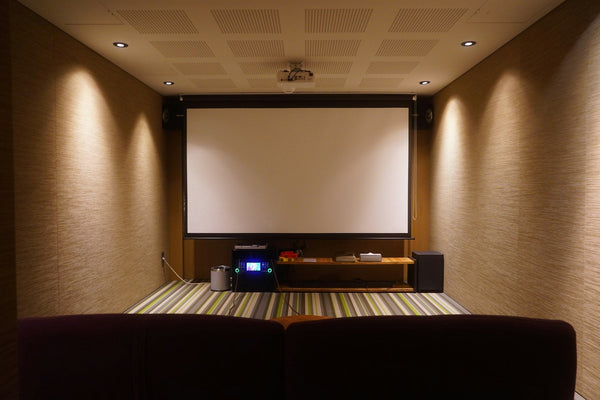
To choose a projector and screen for a meeting room or classroom, decide the screen size from the room and the seating, then choose a projector with enough brightness and a throw ratio that fills that screen from the mounting position. The projector, the screen and the room light all work together, so choose them as one system.
This guide covers lumens, resolution, throw ratio, screen size and type, mounting and what else the room needs, for offices, schools and training rooms in Dubai, Abu Dhabi and across the UAE. If you are comparing a projector with an interactive display, see our interactive flat panel guide.
Step 1: size the screen for the room
Start from the people at the back. Text must be readable from the furthest seat, so a larger room needs a larger image. A common rule of thumb is to keep the back row within about six times the image height for detailed content. Use the table as a starting point, and ask us to check it against your room.
| Room | Typical screen size | Notes |
|---|---|---|
| Small meeting room, 6 to 8 people | 80 to 100 inch | A fixed-frame screen is simple and flat |
| Standard meeting or training room | 100 to 120 inch | An electric screen can hide when not in use |
| Classroom or large training room | 120 to 150 inch | Check the viewing distance from the back row |
Step 2: choose the brightness (lumens)
Lumens measure how much light the projector puts out. The brighter the room, the more lumens you need, and a larger screen spreads the same light over more area. As a rule of thumb, a room with controlled light needs around 3,000 lumens, and a bright room with windows needs 4,000 lumens or more.
| Projector | Brightness | Resolution | Light source |
|---|---|---|---|
| Optoma ZW350e | 4,000 lm | WXGA (1280 x 800) | Laser, 30,000 hours |
| BenQ LH650 | 4,000 ANSI lm | 1080p (1920 x 1080) | Laser |
| BenQ LU710 | 4,000 ANSI lm | WUXGA (1920 x 1200) | Laser, 20,000 hours |
| Optoma ZH521 | 5,500 lm | Full HD (1920 x 1080) | Laser, 30,000 hours in Eco mode |
| Optoma ZU602 | 6,250 lm | WUXGA (1920 x 1200) | Laser, 30,000 hours in Eco mode |
Step 3: check the resolution and light source
- Resolution: match it to the content. WXGA and WUXGA suit laptops and presentations, and 1080p suits video. Higher resolution helps small text on spreadsheets.
- Laser or lamp: a laser light source needs no lamp changes, and the maker rates the Optoma ZH521 for 30,000 hours in Eco mode. A lamp projector, such as the BenQ EX800ST, costs less to buy but needs lamp replacement.
- Connections: check for HDMI inputs and a way to connect wireless presentation. See our wireless presentation guide.


Step 4: work out the throw distance
Throw ratio is the distance from the lens to the screen divided by the width of the image. A throw ratio of 1.13 to 1.47 means the projector sits between 1.13 and 1.47 times the image width from the screen. To find the distance, multiply the screen width by the throw ratio.
For a 120 inch 16:9 screen, the image is 2.65 m wide. These distances are worked out from the maker throw ratios:
| Projector | Throw ratio | Distance for a 2.65 m wide image |
|---|---|---|
| Optoma ZH521 | 1.13 to 1.47 | 2.99 to 3.90 m |
| BenQ LH650 | 1.15 to 1.5 | 3.05 to 3.98 m |
| BenQ EX800ST (short throw) | 0.61 | 1.62 m |
| Optoma ZU600UST-B (ultra short throw) | 0.25 | 0.66 m |
A short-throw or ultra-short-throw projector, such as the Optoma ZU600UST-B with a 0.25 throw ratio, sits close to the wall, so nobody walks into the beam and the presenter does not cast a shadow. Choose one for small rooms and for teaching walls. See our projector range, Optoma projectors and BenQ.


Step 5: choose the screen
| Screen type | Best for | Examples |
|---|---|---|
| Fixed-frame screen | A permanent wall, with a flat tight surface | VSYS PEGA-120 (120 in, 16:9) |
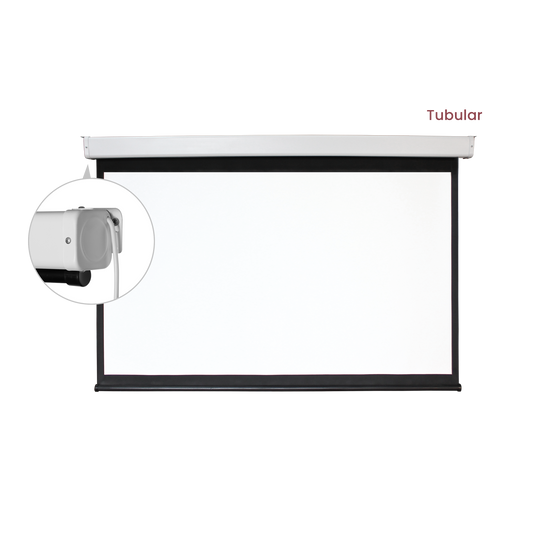
| Electric (motorised) screen | Rooms that also use the wall for other things, and large rooms | VSYS VSPS120-M (120 in, 16:9), Da-Lite Tensioned Advantage |
| Portable or tripod screen | Events, hotels and training spaces | Da-Lite Fast-Fold and tripod screens |
The VSYS VSPS120-M is a 120 inch 16:9 motorised screen with a tubular motor, a 2.65 x 1.49 m viewing area and a gain of 1.0. The VSYS PEGA-120 is a fixed-frame screen with the same 120 inch 16:9 viewing area. For a ceiling-recessed installation, see the Da-Lite Tensioned Advantage 14762EL, a 108 x 192 inch ceiling recessed electric screen. Browse projection screens and Da-Lite screens.


Step 6: plan the mount and the rest of the room
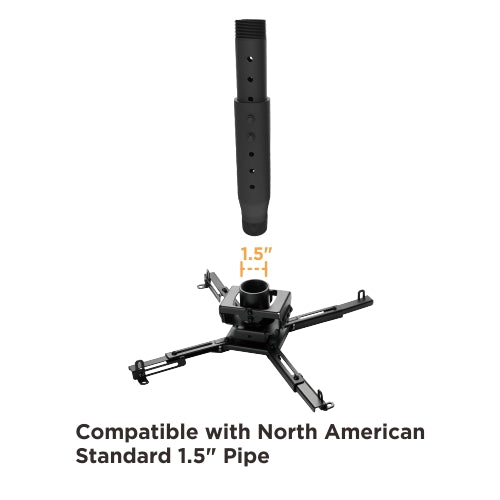
- Projector mount: choose a VSYS projector mount rated above the projector weight. The VSYS VPM-20-H is a heavy-duty universal ceiling mount rated for 35 kg, and the VSYS VPM-2G is a universal wall and ceiling mount rated for 20 kg. Browse projector mounts.
- Cables: run HDMI and power to the projector position, and plan a wall plate at the table.
- Sound: projectors have weak built-in speakers, so add room speakers or a video bar. See our video bar guide.
- Room light: blinds and the position of lights on the screen wall change how bright the picture looks.


Common mistakes to avoid
- Choosing the projector before the room: the throw ratio must match the distance between the projector and the screen.
- Too few lumens: a dim picture in a bright room is the most common complaint.
- Screen too small for the back row: check the viewing distance.
- Ignoring the screen type: an ultra-short-throw projector needs a screen designed for that angle.
- Forgetting the audio: a projector alone does not give a good meeting room sound.
- Forgetting the mounting weight: use a mount rated above the projector weight.
Key terms explained
- Lumen: the unit of light output from a projector.
- Throw ratio: the distance to the screen divided by the image width.
- Short throw and ultra short throw: projectors that make a large image from a short distance.
- WXGA and WUXGA: screen resolutions of 1280 x 800 and 1920 x 1200 pixels.
- Gain: how much light a screen reflects, compared with a reference surface.
- Aspect ratio: the shape of the image, for example 16:9 or 16:10.
Get the right projector and screen
CorporateAV.ae is an authorised dealer of Optoma and BenQ in the UAE, and supplies VSYS screens and mounts. We can survey the room and quote the projector, screen, mount and cabling together. Send us the room size and we will recommend the system.